
Practical article
Digital property portfolios: start with rooms and areas
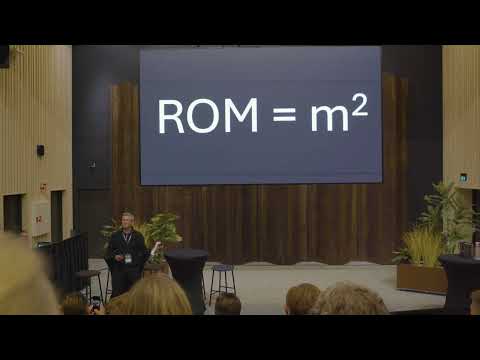
To manage a property portfolio, an owner needs an overview that works across buildings. Rooms, zones and areas are a practical starting point: they give information a location and make it possible to connect it to the spaces the organisation uses, lets and maintains.
This is Sindre Gundersen from Tindx's starting point in the presentation from Oslo Proptech Summit on 22 October 2025. He shows how a simple building model can support a portfolio overview and property management decisions.
This article draws on the 2025 presentation. The section on Skogli Digital is a later addition, based on their article of 4 September 2026.
Give information a shared place to belong
Gundersen shows a hierarchy from site and building to floors, zones and rooms. A zone may represent a tenant area, shared space or an area relevant to indoor climate.
This structure addresses a question that can otherwise get lost between systems: which part of the building does the information concern? Area overviews, operational information and sensor readings must connect to an understandable location.
A room can also belong to different contexts. Someone managing a tenant relationship and someone working in operations do not necessarily need the same view. It is therefore useful to distinguish a shared data foundation from how information is presented to each user. This perspective is explored in the presentation on digital property management beyond BIM.
Connect the model to a decision
The workflow in the Tindx presentation moves from rooms and zones in an architectural model through Anker to overviews in Power BI. Maps, tables and charts make it possible to see building information in a wider context.
Gundersen describes a collaboration with Møre og Romsdal county authority. Examples include area overviews, school capacity compared with applicant numbers and maintenance prioritisation based on condition ratings. They show which questions the data should help the owner answer. The recording does not document measured savings or the delivery of all the further pilots mentioned.
For an owner getting started, choosing one similar question is useful. It defines which areas, properties and connections are needed and who should check the result.
A later example: from Revit to Azure Digital Twins
Skogli Digital describes its work for the same county authority in “From Revit via Autodesk Forma to Azure Digital Twins” (Norwegian).
Revit is the source of geometry and areas. Model information is retrieved through the Autodesk platform, checked and transferred to Azure Digital Twins. The source uses the name Autodesk Forma for the environment previously referred to as ACC. RealEstateCore provides a shared model for properties and their relationships. Historical data can be stored in Azure Data Explorer.
Skogli emphasises checking room areas, names and floor associations before connecting other data. The article also links to open source code for experimentation.
Together, the sources show both what room data can be used for and a later example of establishing a shared data foundation. They describe different tool workflows; the earlier presentation does not document the entire later Azure solution.
Start with one building and a clear task
Based on the examples, we suggest a focused initial review:
- Choose a decision for which the owner needs better information, such as comparing space use.
- Find the model and clarify who is responsible for rooms, zones and area information.
- Check whether the information is complete and linked to the correct building and floor.
- Show the result to the person who will use it and clarify how changes will be followed up.
Then add the next data source needed for the task. The value of the structure lies in making information from different places understandable together and enabling the owner to trace it back to a known building or room.