
Practical article
From BIM model to reliable cost estimate
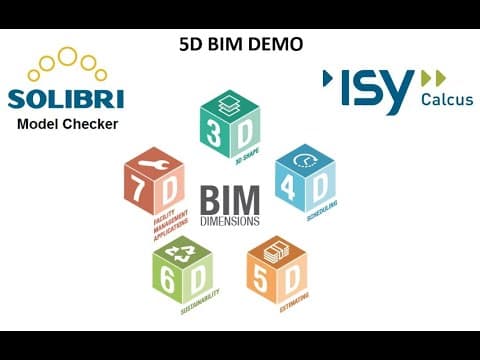
A glass wall visible in the model does not guarantee that its quantity reaches the estimate. For BIM to support cost calculations, geometry, properties, units and pricing information must fit together. Checking this data is part of the estimating work.
In Sindre Gundersen's 5D BIM demonstration from 2020, model quantities are linked to priced items in ISY Calcus. Solibri is used to examine the model and extract quantities. The demonstration shows both a practical workflow and the errors that make an apparently simple transfer difficult.
Check the quantity behind the geometry
The glass wall is a clear example: the building element exists in the 3D view, while the selected quantity is close to zero. Other parts of the demonstration address gross and net wall areas and units for steel elements.
Several questions need answers. Does the quantity exist? Does it mean what the estimator expects? Is the correct unit used? A value may be populated without being suitable for the calculation.
Before linking a quantity to a price, it is therefore useful to select representative objects and examine both the model view and their properties. This makes it easier to discover that a whole group of objects is missing information or uses a different calculation basis from the one expected.
A manual workaround needs a revision plan
Gundersen extracts an alternative quantity list in Solibri, processes it in Excel and imports it as a separate quantity method in ISY Calcus. This makes it possible to continue working with the example.
It also creates a new task: when the model is revised, the processed list needs to stay up to date. If the workflow includes manual intermediate steps, the project needs to know which model version the list is based on and how changes will be handled.
Gundersen's preferred solution is to obtain correct data from the design process. The workaround illustrates why quantities and properties should be agreed before delivery. See also the presentation on BIM execution plans, where area requirements are specified through objects, properties and units.
Make agreed requirements testable
The demonstration of automated validation with Anker from 2023 shows how IFC properties can be examined through rules. Results are presented in Power BI so that missing information can be tracked by model and check type.
This is a separate example of information checking. The recording does not show a completed integration between Anker and the estimating workflow from 2020. Together, however, the demonstrations make an important connection clear: the project's intended use of information must be translated into requirements that can actually be tested.
A passed rule must also be interpreted correctly. A check showing that a particular property exists confirms its presence. It does not mean all values, quantities and other parts of the model are correct.
Clarify what the estimate covers
The 5D demonstration prices selected building elements. The model view helps users see which parts are included. The recording shows a limited example, not a complete project price.
A practical review before sharing an estimate can therefore follow four questions:
- Which model version and building elements are included?
- Which quantities and units have been checked?
- Which manual processing steps must be repeated after a revision?
- Which parts of the project remain to be priced or assessed?
The answers make the estimate easier to understand and continue working with. Tools can help with extraction, checking and visualisation, while the project must take responsibility for clarifying what the figures mean and what the calculation covers.
Software views and features are described as demonstrated in the recordings from 2020 and 2023. Prices in the historical example are not used as current pricing information.